Onboarding without the chaos. Support without the wait.

Migration help, setup assistance, staff training, and ongoing support — so you can focus on your program, not the software.

How it works

Three steps to go-live.

We work at the pace that fits your program, with as much or as little of the setup handled on our side as you'd like.

1

Kickoff

A call to understand your program, timeline, and priorities, so we can plan the rollout together.

2

Migration & setup

Help with data migration and configuration — rooms, ratios, billing rules, and parent communications, adapted to how your program runs.

3

Training & support

Hands-on training for your staff and a parent rollout, with continued support after launch.

A no-stress switch

Setup is on us.

Whether you're coming from another platform, spreadsheets, or paper records, we'll work with you on the transition.

  • Dedicated guidance during the switch
  • Data migration assistance
  • Help configuring rooms, ratios, billing rules, and parent communications
  • Templates available for forms, billing, and communications
REC
Onboarding call · MyKidReports
12:34
LC
Lisa · Director
MKR
MyKidReports
NOW Walking through your billing setup
Here when you need us

Help that picks up.

Reach out by chat, email, or phone — and get a clear, useful answer. No chatbots, no canned replies, no menus to navigate.

  • Direct support from the team behind MyKidReports
  • Reach us by chat, email, or phone
  • Help available for everyone in your program — directors, admins, teachers, and parents
  • A help button built into every screen of the product
Hi there
How can we help?
Send us a message
Home
Messages
Built with your input

Missing a feature? Just ask.

If there's something MyKidReports doesn't do yet — a workflow, a report, a module — tell us. We'll try to add it. A lot of what's in the product today started as a customer ask.

  • Send feature ideas by chat, email, or on a call
  • We'll try to add what's missing — most-asked-for ideas first
  • Open to extra modules and custom workflows for your program
  • Feedback goes straight to product — no ticket queue, no detour
Customer suggestions
What we're building from your asks
Completed
  • QuickBooks two-way sync
  • Combined-filter reports
  • Duplicate weekly plans
In progress
  • Multi-language parent app
  • State subsidy report templates
  • Custom field builder for forms
Built for change

New features keep landing. Your bill doesn't move.

Updates roll out automatically to your account. No installs, no upgrade fees — every center gets every new feature as soon as it ships.

  • Free upgrades with new features and improvements
  • Many updates start as customer requests, including yours
  • No downtime, no installs — just log in to see what's new
  • Every feature, included on every plan
What's new
3 new

Combined-filter reports

Stack three filters at once on any report.

Try it

Duplicate weekly plans

Copy any week's learning plan to another week in two clicks.

Try it

QuickBooks two-way sync

Push invoices and pull payments without leaving MyKidReports.

Try it
Self-serve, anytime

The library that's already open.

Our help center is already live at help.mykidreports.com — searchable guides and short tutorial videos for every part of MyKidReports, organized by topic and by role.

  • A dedicated section for every part of the product — billing, attendance, reports, communications, and more
  • Search by what you're trying to do — find the right guide quickly
  • Updated with every product release
  • Written for every role — directors, admins, teachers, and parents
help.mykidreports.com
Hey there, how can we help?
Getting started
4 articles
Billing
36 articles
Attendance
15 articles
Reports
22 articles
Communications
8 articles
Settings
22 articles
Visit the help center →
Tutorials, on demand

Every feature, walked through on YouTube.

Our YouTube channel has a short, no-fluff tutorial for every part of MyKidReports. Bookmark it. Send it to a teacher. Watch it at 2× speed.
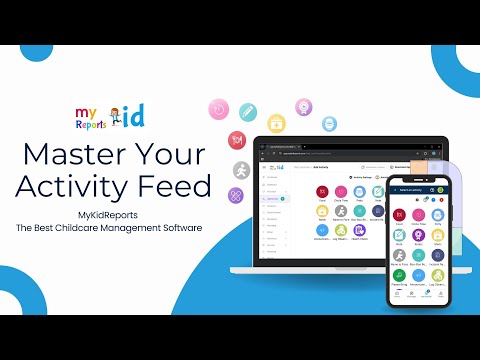
Many more tutorials are available on our YouTube channel. Browse the full library, or subscribe to get new ones as they're published.

Visit our YouTube channel
Frequently asked

Questions every director asks at hello.

If we missed yours, ping us in chat — you'll get a thoughtful reply from someone who actually uses the product.

How long does onboarding take?
Timelines vary by program. We work with your priorities and pace, taking on data migration, configuration, training, and parent rollout to whatever extent helps you the most.
Do I have to migrate my own data?
Migration assistance is part of onboarding. We can help move records from a previous system or spreadsheets — including child profiles, parent contacts, billing, attendance, and more — depending on what's in your data and how your program runs.
Who do I actually talk to when I need help?
A person who knows the product — by chat, email, or phone. No outsourced ticket queue, no scripts, no bouncing between agents.
How does your support work?
Reach out by chat, email, or phone — whichever you prefer. The reply comes from someone who knows the product, not a chatbot or a tier-one script. Every message is taken seriously, regardless of the issue.
Will my staff need training?
Training assistance is offered for staff and parents — typically with separate sessions for teachers and admins, plus a parent rollout email kit. Session recordings can be saved for later viewing, and our YouTube channel and Help Center have additional tutorials available anytime.
Do you charge for new features?
New features are part of the regular product roadmap and are made available to existing centers as they ship.
Where can I find tutorial videos?
Our Help Center and YouTube channel cover every feature in MyKidReports through short tutorial videos and step-by-step articles. Send specific videos to teachers and admins so they can find answers on their own.
What if I have a problem after onboarding?
Reach out by chat or email. Issues are routed to the relevant part of the team and important ones are prioritized. You'll receive a written follow-up explaining what was fixed — so you know exactly what changed and why.
Reach us directly

Or just give us a call.

Skip the form. Pick up the phone or send an email — both go straight to our team.

Switching shouldn't feel scary.

Schedule a call. No slides, no pressure. We'll talk through your program and what a switch could look like — no commitment required.

Onboarding · Training · Support · Updates · Help Center